How to Launch a Small Games Section on Your Website in 30 Days
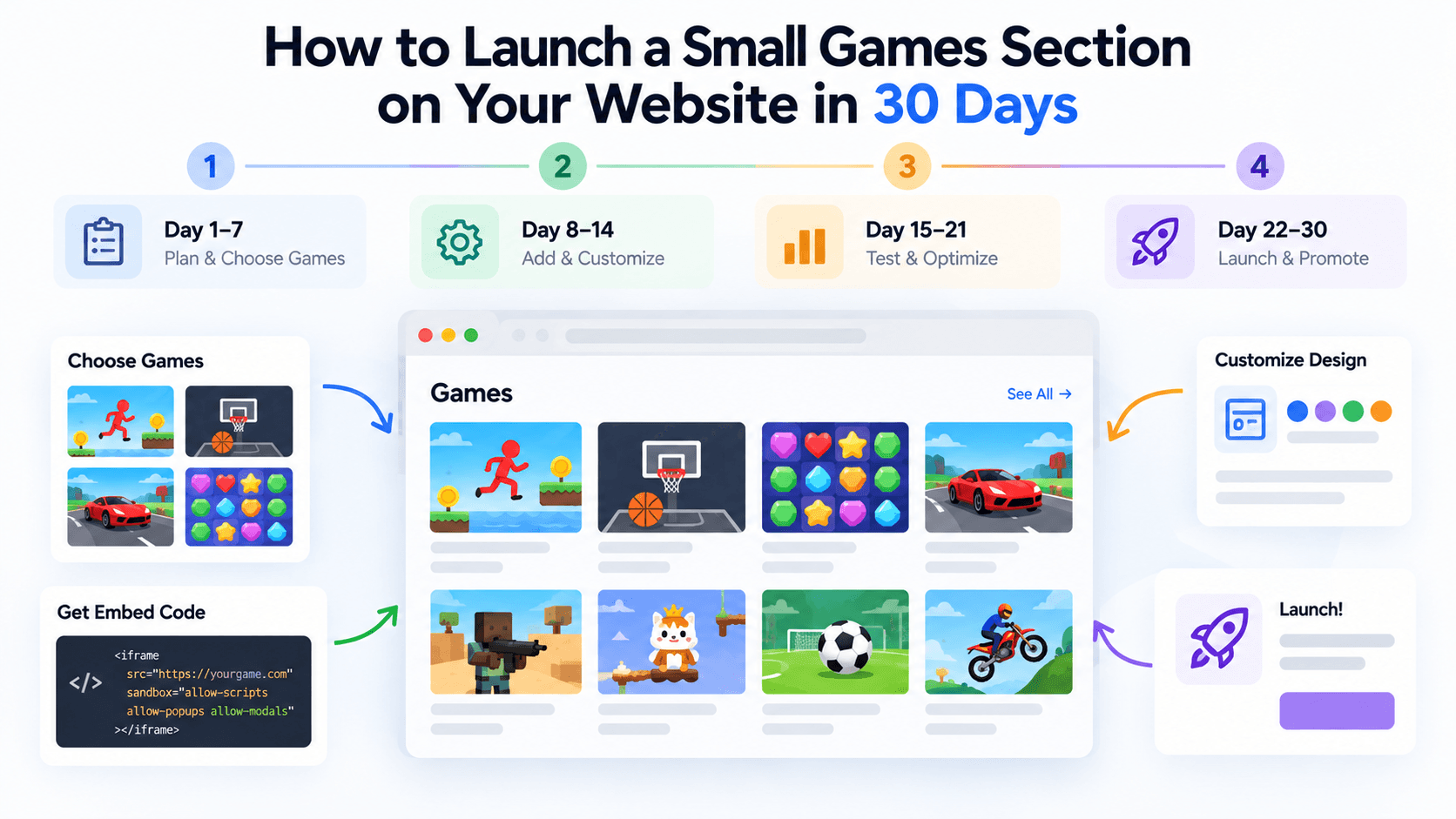
Embedding a game is an hour's work. Launching a games section that people find, enjoy and that you can keep up is a small project, and it fails in predictable ways: too many games, no mobile testing, no plan for when a game disappears. This guide is a calendar, not a how-to for iframes. You will find the technical steps in our other guides. This one is about who does what and when.
The plan assumes one person with a few hours a week and a content site that already has some traffic. Scale it to your situation.
The plan at a glance
| Week | Goal | Main output | Done when |
|---|---|---|---|
| 1 | Choose games and confirm permission | Shortlist of 10 to 15 games and an audit sheet | Every game has a row with permission recorded |
| 2 | Build the pages | Games hub, collection page and one page per game | All pages exist on a staging address |
| 3 | Test and fix | Mobile and desktop test log, fixed issues | No game fails the quality checks |
| 4 | Launch and set up the routine | Live section, analytics, monthly checklist | Section is live and the first review is booked |
Week 1: Choose games and check permission
Day 1: Define the goal. Write down one sentence on why the section exists: more time on site, a reason to come back, a fun extra. It decides every later choice.
Day 2: Learn your audience. Pull your analytics device split and typical visit length. Our guide to choosing games for your audience has a scoring system you can use here.
Day 3: Source the catalog. If you use PlayKovo, open the catalog or the public feed (https://playkovo.com/api/embed-games?format=json). No account is needed to copy an embed. A partner account is only required for dashboard statistics, and the site registration is reviewed by hand.
Day 4: Build a shortlist of 10 to 15. Filter by device and orientation, then score.
Open each candidate before it earns a place on the shortlist, the way a visitor would. Two examples to practise on:
Try it live · PlayKovo catalog
Short description: Loop your tail around hexagonal tiles to capture territory, dodge rivals, and become the King of the map in this free 3D multiplayer .io game.
Explore a dreamlike world of floating pastel islands, ring the wind chimes in order, and glide between the clouds.
Day 5: Read the terms. Read the provider's partner terms in full. For PlayKovo that means: games are not yours, credits stay visible, ads inside games cannot be blocked, you must remove games within three business days of a request, and there is no revenue share today.
Day 6 to 7: Start the audit sheet. Use the template in our guide on whether a game is safe and legal to embed. One row per game.
Week 1 risk: picking games because you like them. Use your audience data instead.
Week 2: Build the pages
Day 8: Decide the structure. For a small section, three levels are enough:
- a games hub listing everything,
- two or three collection pages (see our guide on genre-based collections),
- one page per game.
Day 9 to 10: Build one game page as a template. Include a clear title, a two-sentence description in your own words, controls instructions, the embed, and a short "more like this" block.
Day 11: Use the correct frame per game. The default PlayKovo code is a 16:9 box. Portrait games should use the vertical version with a 9:16 ratio and a maximum width of 420 pixels. If your site sends a content security policy, add frame-src https://playkovo.com.
Day 12 to 13: Create the remaining game pages. Do not copy the feed description. Write one original line about each game.
Day 14: Create the hub and collections. Add the hub to your main menu and link every game page back to it.
Week 2 risk: copy-pasted descriptions. They add no value for visitors and little for search.
Week 3: Test and quality control
Day 15: Run the desktop pass. Open every page, play a short round and fix anything that breaks.
Day 16 to 17: Run the mobile pass. Use at least one phone and, ideally, one tablet. Test portrait and landscape, touch controls, fullscreen and sound. Our mobile-first guide includes a blank test log.
Day 18: Run the technical pass. Check the page speed with and without games, check your content security policy and make sure each embed uses the default allow list. Confirm that you did not add referrerpolicy="no-referrer".
Day 19: Run the content pass. Check titles, descriptions, thumbnails and instructions. Our 25-point quality checklist can be used here.
Day 20 to 21: Fix and retest. Remove any game that still fails. A section of eight good games beats twelve uneven ones.
Week 3 risk: testing only on your own laptop.
Week 4: Launch, measure and maintain
Day 22: Soft launch. Publish the section but do not promote it. Watch for errors.
Day 23 to 24: Set up measurement. An iframe does not report plays to your own analytics, so measure what your site can see:
- visits to the hub, collection and game pages;
- time on page for game pages;
- the share of game page visits from mobile;
- clicks from one game page to another;
- returning visitors who land on game pages.
If you use PlayKovo's dashboard, remember it only counts launches when the visitor accepts cookies, so the numbers are estimates. Compare them with your own analytics instead of trusting either alone.
Day 25: Write the maintenance routine. See below.
Day 26 to 27: Announce. Add the section to the homepage, the newsletter and your social channels. Keep the announcement honest: a small, well-chosen set of games.
Day 28: Review the first numbers. Look at which games get visits and which do not.
Day 29 to 30: Plan month two. Replace the weakest game, add one new one and book a monthly review.
The maintenance routine
| How often | What to do |
|---|---|
| Weekly | Check the feed for removed games. Remove any game that left the feed |
| Weekly | Play one random game on your phone |
| Monthly | Review analytics, replace the weakest game, add one new one |
| Monthly | Reread the provider's terms for changes |
| Quarterly | Re-score your games against current audience data |
| On request | Remove a game within three business days if PlayKovo asks |
The feed is cached for five minutes, so checking it hourly would be plenty if you automate it. Weekly is fine for a small manual routine.
What can go wrong
- A game is removed mid-launch. Have a replacement ready. Our guide on replacing broken or removed games shows a workflow.
- Mobile players bounce. Check for the portrait frame problem first.
- Nobody finds the section. Link it from your menu and from related articles.
- The numbers look small. Early traffic to a new section is small. Compare week-over-week for the section itself, not against your best article.
Final checklist before day 30
- Every game has an audit row with permission noted.
- Every game page uses the right frame for its orientation.
- Every game has been played on a phone.
- The section is in your main menu.
- You know how you will hear about a removed game.
- The first monthly review is on the calendar.
A small section that you maintain will beat a large one that you launch and forget.
Related Posts
How to Choose the Right HTML5 Games for Your Website's Audience
A five-criteria scoring system for picking embeddable HTML5 games that fit a news site, blog, game portal or community, with a worked example using real PlayKovo catalog games.
A Curated 20-Game Starter Library for a New Arcade Website
Twenty embeddable HTML5 games from the PlayKovo catalog, balanced across puzzle, casual, arcade, action and sports, with controls, device support and publishing notes for each.
How to Compare Free HTML5 Game Catalog Providers Before Embedding
An independent checklist and scoring grid for comparing HTML5 game catalog providers, applied to PlayKovo, Playgama and GameMonetize using only what each publishes.