What Is PlayKovo? A Guide to Playing Free Browser Games
If you want to play a game right now without installing anything, browser games are the quickest way to do it. PlayKovo is a site built around that idea: free games you open in your browser and start playing. This guide explains what it is and how to use it.
What is PlayKovo?
PlayKovo is a website where you can play free HTML5 games directly in your browser. There is nothing to download, and you can jump from one game to the next in a few taps. It is part of the Kovo family, which also includes ApkKovo.
How browser games work
Browser games are built with web technology called HTML5. Instead of installing an app, your browser loads the game in a tab, the same way it loads any web page. That has a few practical effects:
- No installation. You do not use storage space on your device.
- Works across devices. The same game can run on a phone, tablet, laptop, or desktop.
- Instant start. Most games load within seconds.
- Easy to share. Send a link to a friend and they can play right away.
What you can play
The catalog covers many styles of game. Typical categories include:
- Racing for quick, high-speed runs.
- Puzzle for relaxed thinking games.
- Action and arcade for fast reflex challenges.
- IO games for multiplayer-style matches against other players.
Browse the full selection at PlayKovo and pick whatever fits your mood.
Do you need an account?
Browser games usually let you start immediately. Check the individual game and the site for any optional features. If you only want to play casually, you can generally just open a game and go.
Does it work on a phone?
Yes, many browser games are designed for touch screens. Open the site in your phone's browser, choose a game, and rotate your screen if the game works better in landscape. If a game feels cramped, try fullscreen mode when it is offered.
Tips for a smoother experience
- Use an up-to-date browser. Current versions of Chrome, Edge, Firefox, and Safari handle HTML5 games well.
- Close extra tabs. Fewer open tabs leave more memory for the game, which helps on older devices.
- Check your connection. Games load faster on a stable connection, especially the first time.
- Try fullscreen. It gives you more room and removes distractions.
Who is PlayKovo for?
- Players who want a quick break without installing anything.
- People on devices with limited storage.
- Anyone who wants to try many games before settling on a favourite.
- Game developers and website owners. Developers can look into getting their HTML5 games listed, and site owners can add games to their pages.
Getting started
Open PlayKovo, choose a category that interests you, and click a game. If you like it, bookmark the page and come back whenever you have a few spare minutes.
Related Posts
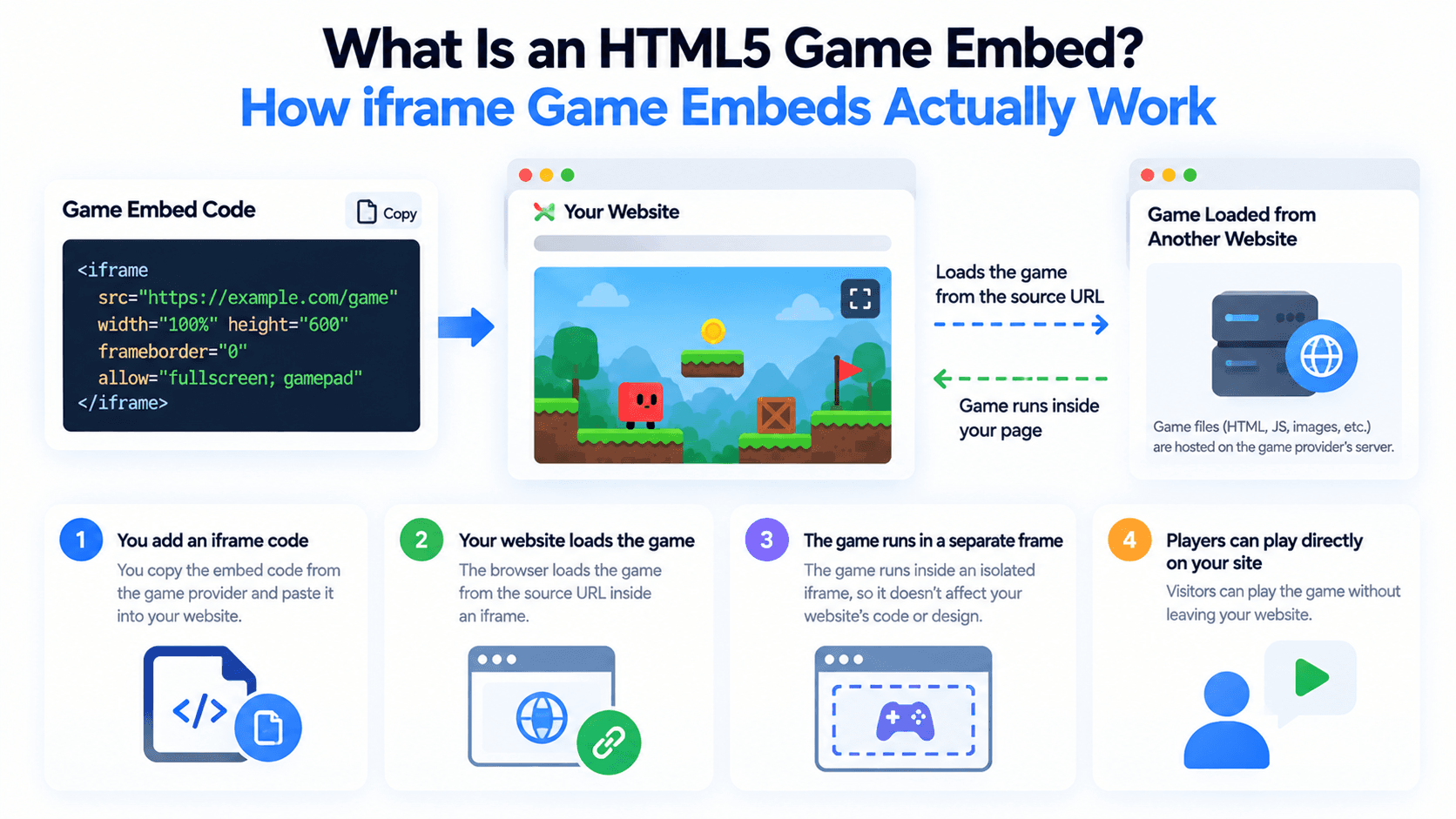
What Is an HTML5 Game Embed? How iframe Game Embeds Actually Work
Adding a free game to your site usually means embedding an iframe pointed at someone else's server. Here's what's actually happening under the hood, and what the src, allow, and sandbox attributes control.
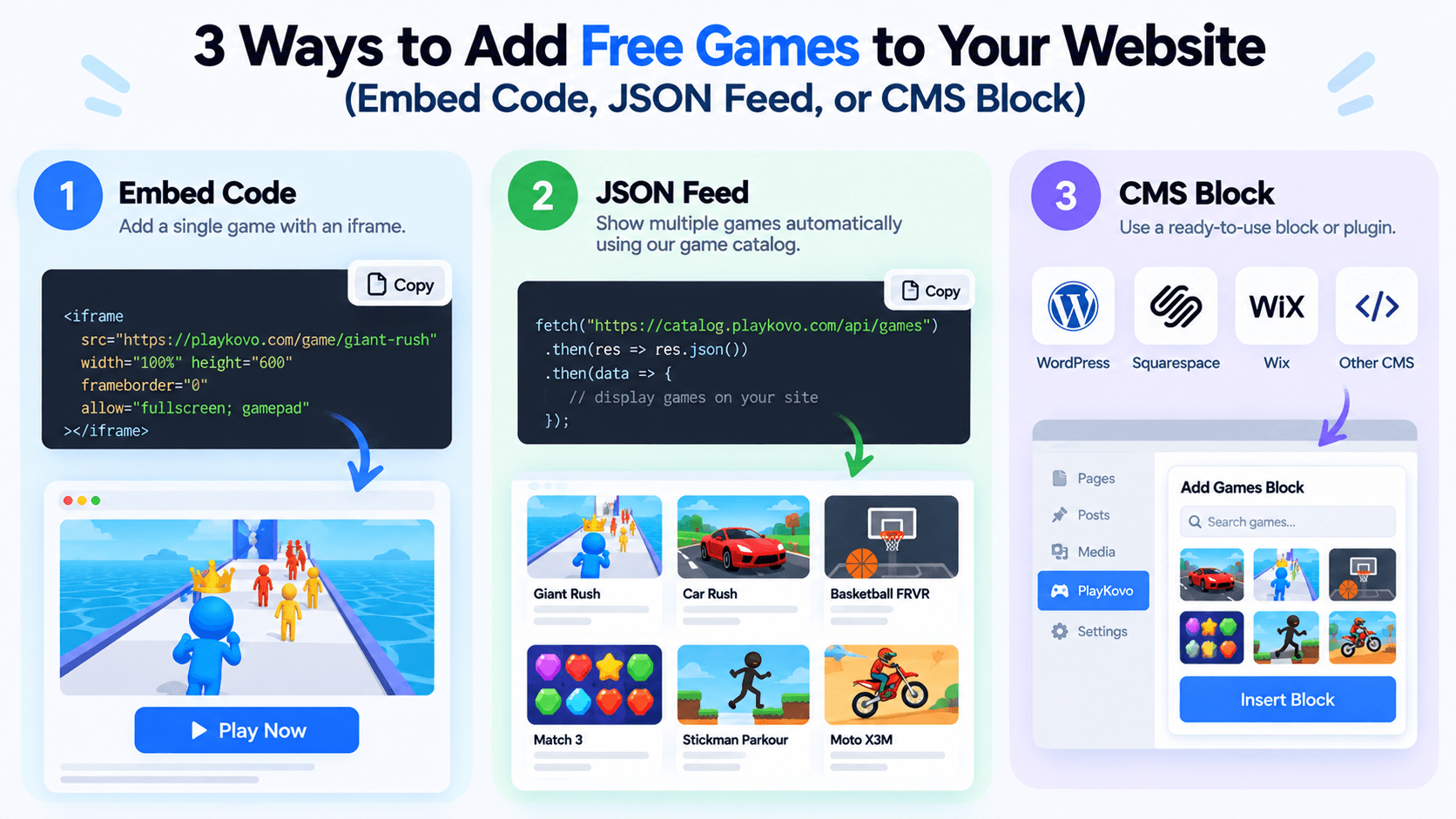
3 Ways to Add Free Games to Your Website (Embed Code, JSON Feed, or CMS Block)
There's more than one way to put free HTML5 games on your site, and the right one depends on how many games you want and how often that list should change. Here's a practical comparison of the three main options.
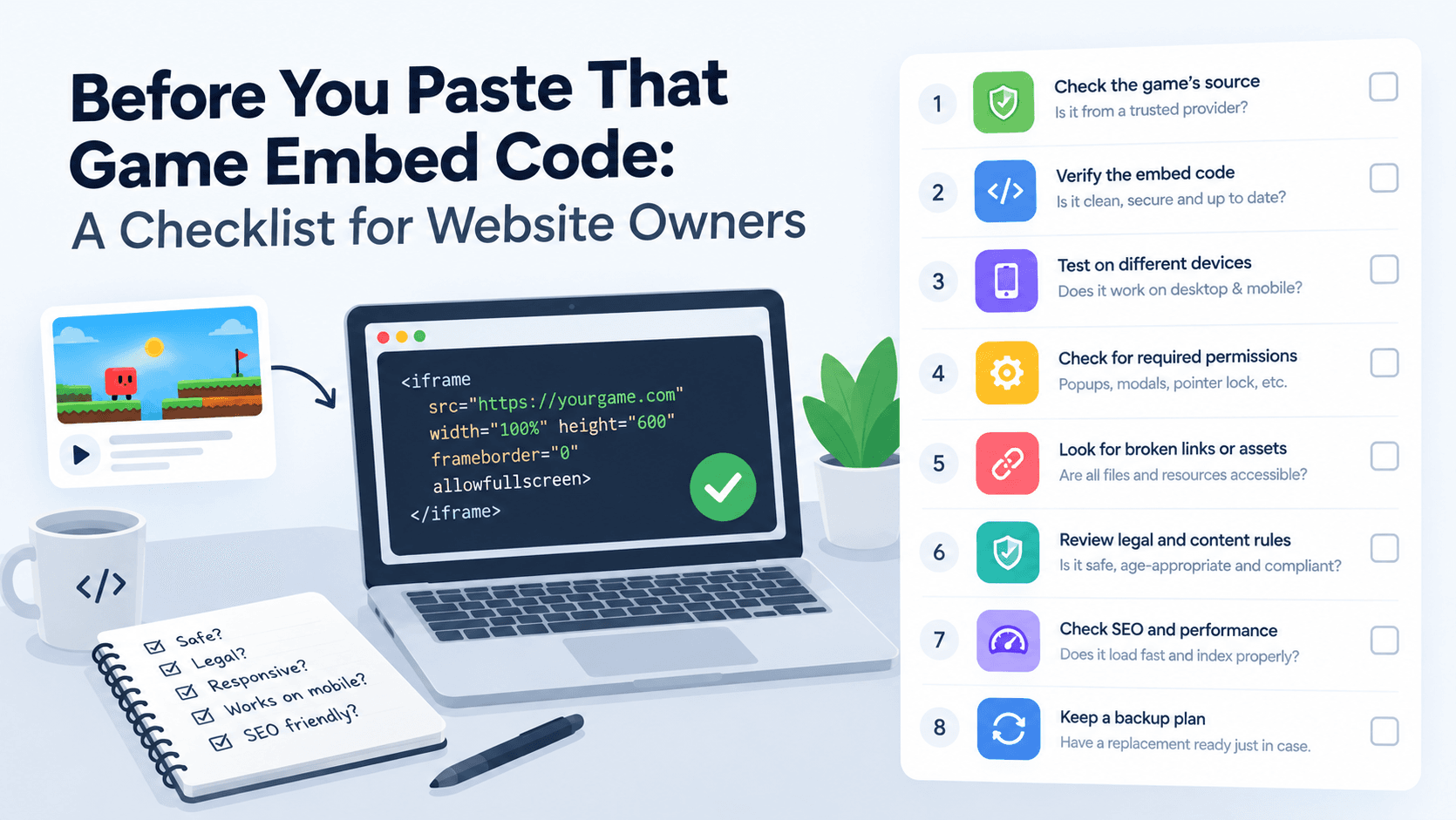
Before You Paste That Game Embed Code: A Checklist for Website Owners
An embed code is easy to copy and paste, which is exactly why it's easy to skip the questions worth asking first. Here's what to check before a free game goes live on your site.