How to Publish Your First HTML5 Game: A Developer's Guide
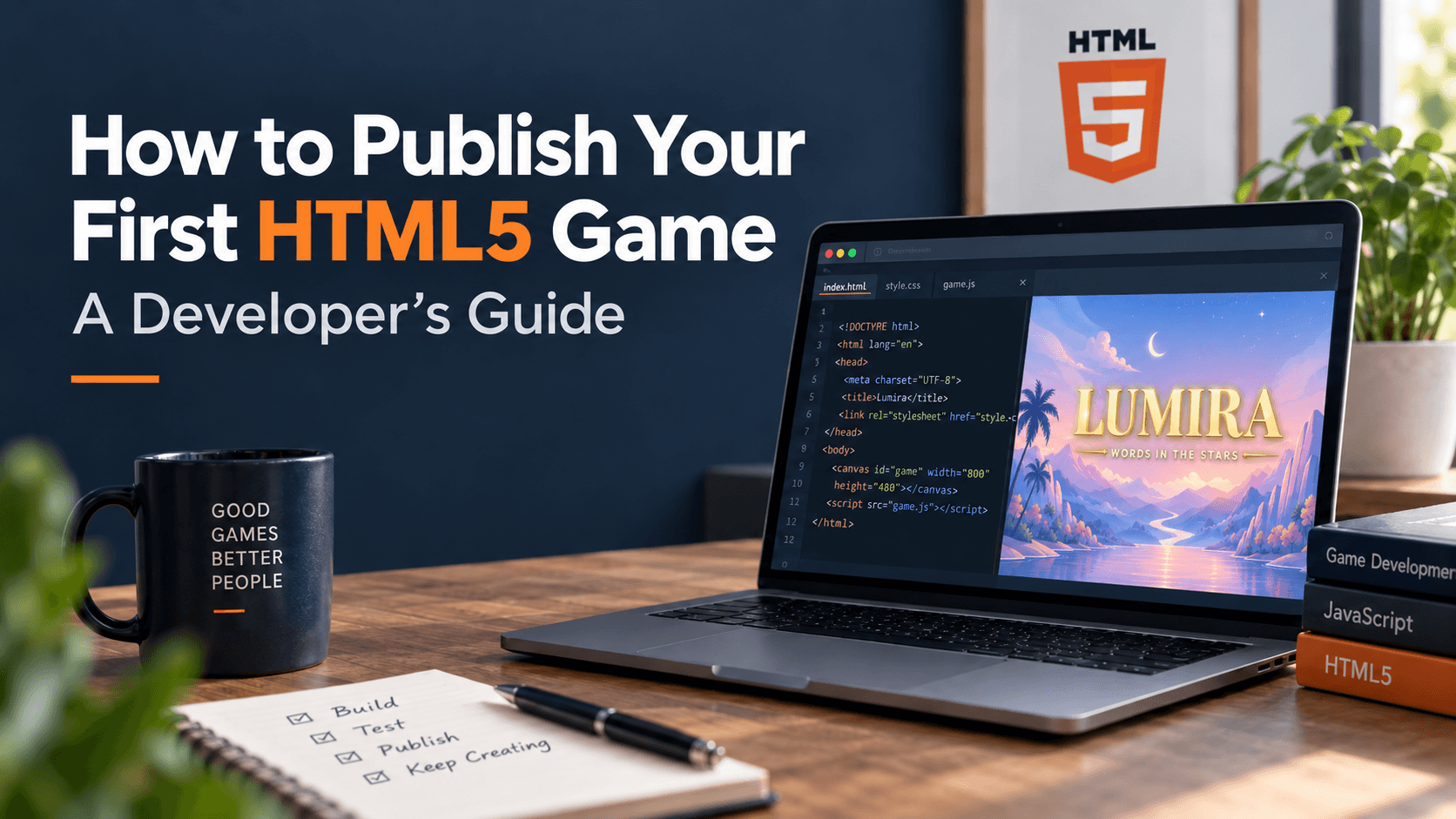
So you've finished your first HTML5 game and now you're staring at the export folder wondering what to actually do with it. Publishing isn't complicated once you know where builds go and what each platform expects — but the landscape is more fragmented than most first-time developers assume.
This guide walks through where HTML5 games get published today, what to prepare before you submit anywhere, and how to get your build live on PlayKovo's developer panel.
Why HTML5 Is Still a Great Format to Ship
HTML5 games run directly in the browser — no installer, no app store review queue, no platform-specific build pipeline. One export can run on desktop, mobile, and inside third-party portals with little to no extra work. That portability is exactly why HTML5 has stayed the default format for casual and hyper-casual games, long after Flash disappeared.
The tradeoff is distribution: nobody is browsing an "HTML5 app store" the way they browse Google Play. Instead, HTML5 games live on portals — sites that host and surface games to players directly. Getting noticed means publishing to more than one.
Where Developers Publish HTML5 Games Today
A few portals make up most of the HTML5 distribution landscape, and each works a little differently:
- itch.io — extremely indie-friendly and near-zero friction to publish, but you're responsible for almost all of your own discovery and traffic.
- CrazyGames — one of the largest HTML5 audiences around, but getting featured usually means going through a curation and review process.
- Poki — works more like a publisher than an open portal; competitive to get accepted, but strong distribution if you do.
- Y8 — one of the oldest arcade-style portals still actively running, with a long-established player base.
- GameDistribution — less a destination site and more a syndication network that licenses your game out across many smaller sites at once.
- Newgrounds — community-first and less commercial, popular with developers who want direct feedback from players.
- PlayKovo — a newer HTML5 platform built around an open developer panel, with self-serve upload tools, per-game analytics, and API key generation for SDK integration — without the invite-only curation process some of the bigger portals require.
None of these are mutually exclusive. Most working HTML5 developers publish the same build to several portals at once, since each one reaches a different slice of players.
What to Prepare Before You Submit Anywhere
A few things are worth sorting out before you start submitting builds, since almost every portal will ask for some version of these:
- A clean, self-contained export — no external dependencies your build can't load reliably outside your own dev environment.
- A cover image and short description — most portals (PlayKovo included) use this for the game's listing card, so it's worth treating like a mini store page.
- A sense of your monetization plan — ad-supported, revenue share, or none at all. This affects which portals are even relevant to you, since some are ad-network-first and others are more agnostic.
- Basic analytics expectations — knowing whether you want session/playtime data from day one saves you from re-integrating an SDK later.
Publishing to PlayKovo's Developer Panel, Step by Step
- Sign up through PlayKovo's developer panel — this is separate from a regular player account.
- Upload your build along with a cover image and category tags so it's discoverable in the right shelf.
- Wire up the JavaScript SDK if you want analytics, ad integration, or mobile-bridge support — this step is optional but recommended if you plan to monetize.
- Generate an API key from the panel if your game needs to talk to any PlayKovo services directly.
- Submit for review. Once approved, your game appears in PlayKovo's library, and you get access to a per-game analytics dashboard from the same panel.
Picking the Right Platform(s) for Your Game
There's no single "best" portal — it depends on what you're optimizing for:
- Want maximum control and don't mind doing your own marketing? itch.io is hard to beat.
- Want the biggest possible audience and can clear a curation bar? CrazyGames or Poki are worth the effort.
- Want wide syndication without managing many relationships? GameDistribution does that for you.
- Want a straightforward, open submission process with analytics built in from day one? PlayKovo's developer panel is designed for exactly that.
The realistic answer for most first-time developers: submit to more than one, and let the data tell you where your game actually performs.
FAQ
Do I need a separate account to publish on PlayKovo?
Yes — publishing goes through the developer panel, which is separate from a regular PlayKovo player account.
Is publishing an HTML5 game free?
On most portals, including PlayKovo, submitting a game doesn't cost anything upfront. Monetization and revenue-share options vary by platform and are still being finalized on some, so check each platform's current terms before you submit.
Can I publish the same game on multiple portals at once?
Yes, and most developers do exactly that. There's nothing exclusive about publishing to PlayKovo, CrazyGames, itch.io, or any combination of portals at the same time.
Do I need an SDK integrated before I submit?
No — it's optional on PlayKovo. You can submit a build first and add SDK-based analytics or ad integration later through the developer panel.
Final Thoughts
Publishing your first HTML5 game isn't about picking the one "correct" portal — it's about understanding that each one serves a different audience and submission process, and being willing to publish to more than one. If you're looking for a straightforward place to start that doesn't gatekeep behind a curation process, PlayKovo's developer panel is a solid first stop.
Related Posts
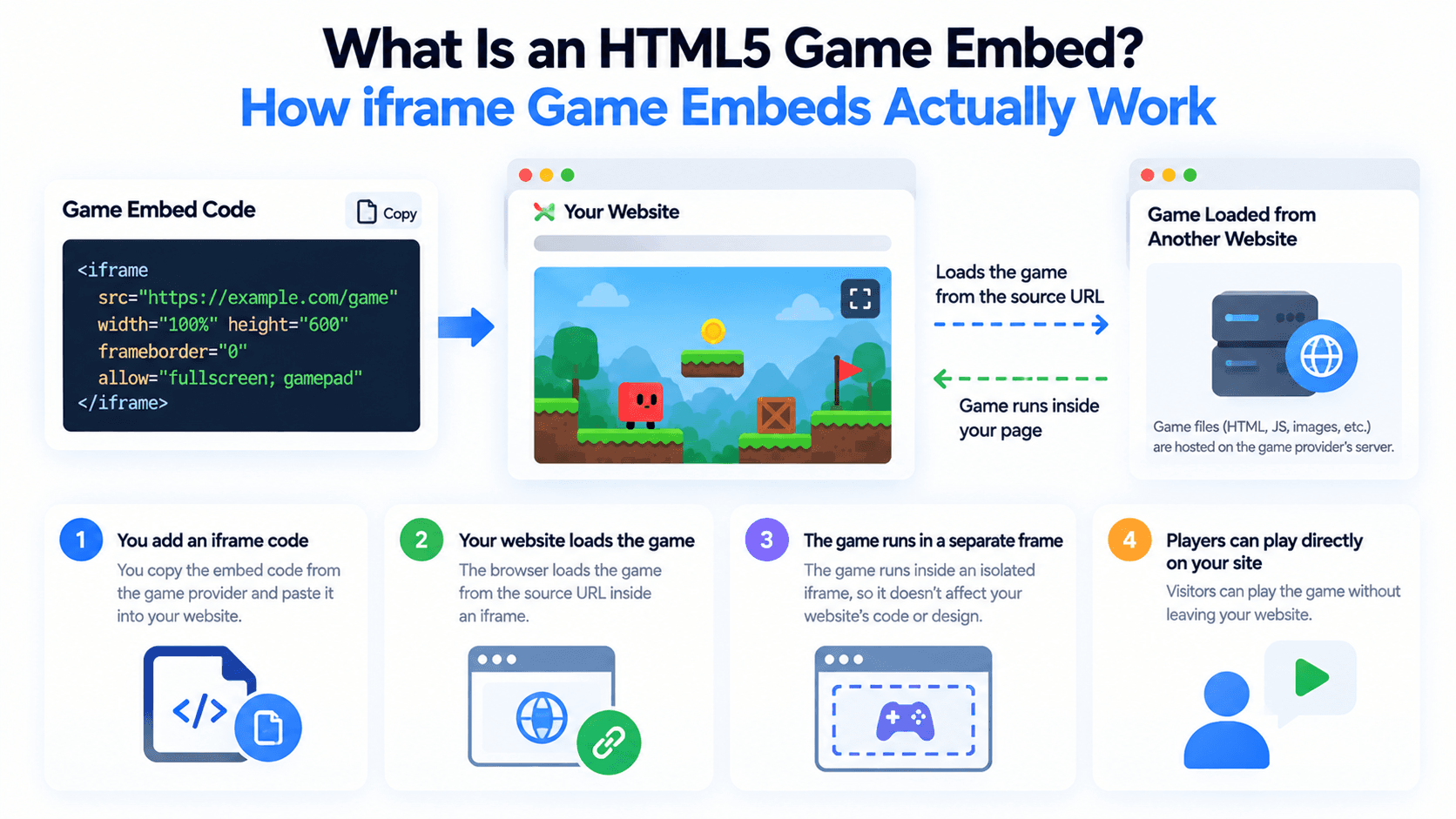
What Is an HTML5 Game Embed? How iframe Game Embeds Actually Work
Adding a free game to your site usually means embedding an iframe pointed at someone else's server. Here's what's actually happening under the hood, and what the src, allow, and sandbox attributes control.
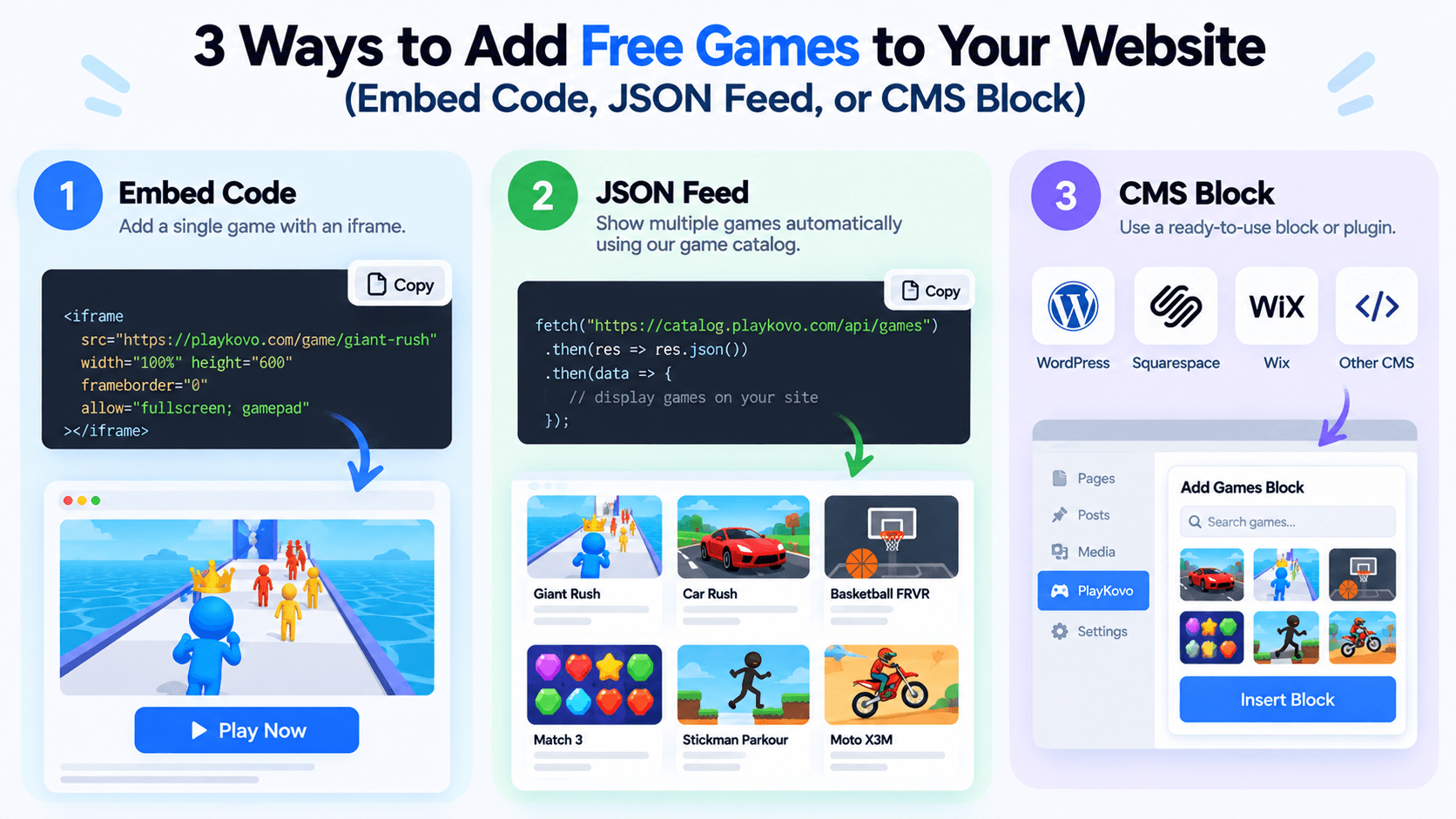
3 Ways to Add Free Games to Your Website (Embed Code, JSON Feed, or CMS Block)
There's more than one way to put free HTML5 games on your site, and the right one depends on how many games you want and how often that list should change. Here's a practical comparison of the three main options.
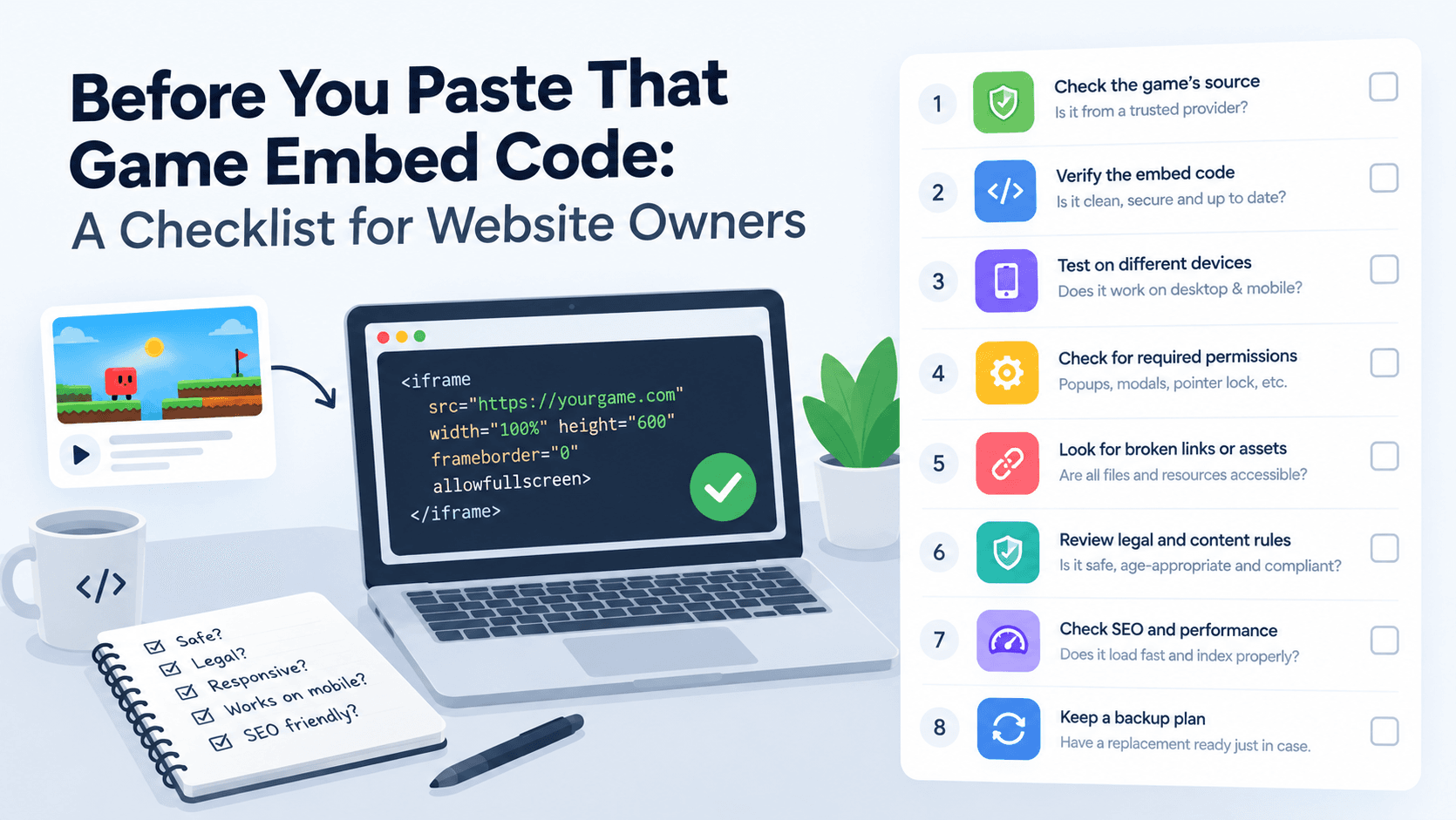
Before You Paste That Game Embed Code: A Checklist for Website Owners
An embed code is easy to copy and paste, which is exactly why it's easy to skip the questions worth asking first. Here's what to check before a free game goes live on your site.