
Warbirds.io Beginner's Guide: Your First Sortie, Controls and Tips
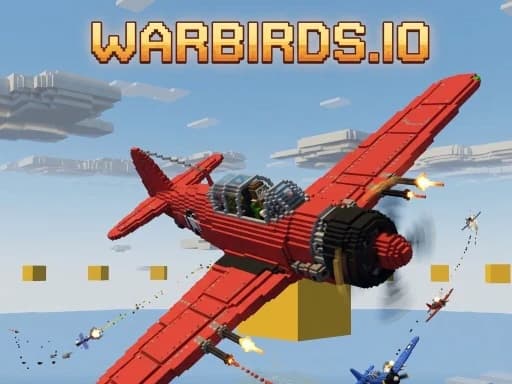
Warbirds.io looks like a toy and flies like a simulator, and that mix catches new pilots off guard. You press a button, a plane appears, and thirty-odd players are already fighting over a golden ring. This guide covers what the first few minutes look like, which keys matter, and how a round is actually won, so you can spend your time flying instead of reading the help screen.
Everything here comes from the game's own Warbirds.io about page. If you want the bigger picture first, read our Warbirds.io overview and our write-up of the September update.
Warbirds.io is free, runs in the browser and needs no download. PlayKovo lists it as working on both desktop and mobile.
Your first sortie is a tutorial, not a furball
The first time you press TAKE OFF, you do not land in the middle of the fight. You start already airborne, already level, in a quiet patch of sky over the Brick Sea, with one instruction at a time along the bottom of the screen.
The first lesson is simply to move the mouse, and it waits until you actually do it. Then a slow, flat-flying bandit appears about six hundred metres ahead. The trick is the gold lead diamond: aim at where the target will be, not at the target itself. One burst takes him down, and the kill counts as FIRST BLOOD on your real career, unlocking a paint scheme on the spot.
A second bandit follows. This one runs and jinks, so the lead marker has something to teach. If you fly into a hill, the game puts you back in the air, level, with a warning that explains the recovery. Nothing shoots you down during this stretch. When the second bandit falls, the sky becomes the real one with no loading screen. A SKIP TO BATTLE button sits under the coach line the whole time if you would rather start in the deep end, and the first sortie only ever happens once.
The controls that matter first
The mouse steers the plane (V toggles that), and click or Space fires. That is enough to start. Once you want more control, these are the ones worth learning:
- W and S pitch, A and D roll, Q and E rudder.
- Shift and Ctrl set the throttle.
- B drops a bomb or torpedo.
- T turns auto-trim on. It holds your altitude hands-off and is on by default. A deliberate climb, dive or turn always overrides it.
- P engages the autopilot, which flies straight and level.
- C switches between cockpit and chase view.
- Tab shows the scoreboard.
On touch devices, the left thumb steers, the right thumb drags to look around, and on-screen FIRE and BOMB buttons do the rest. Gamepads and HOTAS sticks work too: plug one in and move an axis. Desktop flight controls can be rebound from the settings if the default layout does not suit your hands.
How a round is won
Two squadrons, Crimson and Cobalt, fight over a golden Sky Ring floating above the central island. Holding the ring bleeds points out of the enemy. Shooting down enemy planes earns bounties, and strafing the flak guns around the enemy base helps too. The first side to reach 1500 points before the round clock runs out wins.
That gives you a few simple jobs, even as a beginner:
- Stay near the ring. It is where the fight is, and where your team needs bodies.
- Read the sky. Above 900 metres, every plane draws a white contrail that the whole map can see and that hangs for about twenty seconds. A thread coming from above is a warning, and one you leave yourself is a giveaway.
- Learn from your deaths. The game includes a killcam, so after a loss you can watch how you were caught.
Picking a plane
The hangar offers real aircraft under their real names: the Spitfire Mk IX turnfighter, the P-51D Mustang, the P-38 Lightning, the B-17 Flying Fortress bomber and the TBF Avenger torpedo bomber, along with the Bf 109, the Fw 190, the P-40N Warhawk and the F4U Corsair, among others. The cards label each plane's role, such as turnfighter or boom-and-zoomer, so you can match a plane to how you like to fight and switch as you learn.
Beyond the dogfight
Air combat is only one part of the game. There is also a naval theater, a land theater and a combined theater where planes, ships and tanks share one battle. You can crew a battleship turret or a tank instead of flying. When you want a change, the Warbirds.io dogfighter gives you those options from the same spawn screen, with no second account or launcher.
Your career carries across all of it. There is a hall of fame, and you can pick a squadron insignia that appears next to your callsign.
Where to find more games like it
Warbirds.io is one of many browser games gathered in the PlayKovo game catalog, which is useful if you run a website and want to add games to it, or if you just want something new to play next.
Try it
Fly it on Warbirds.io or browse more browser games on PlayKovo.
Featured app
Warbirds.io
Related Posts
Where to Find Game Assets for a Browser Game: Free, Paid and Licensed Right
Where can you find game assets for a browser game? A short, license-first guide to public-domain packs, community archives and a single-style paid and free library, with what each site says about its own terms.

How We Built Jolopi, a Game Portal That Runs on the PlayKovo Catalog
A developer diary on Jolopi, a visual-first HTML5 game hub fed entirely by PlayKovo's catalog JSON: the cached sync, the plain Node server, and the multilingual SEO setup, as a template for website owners.
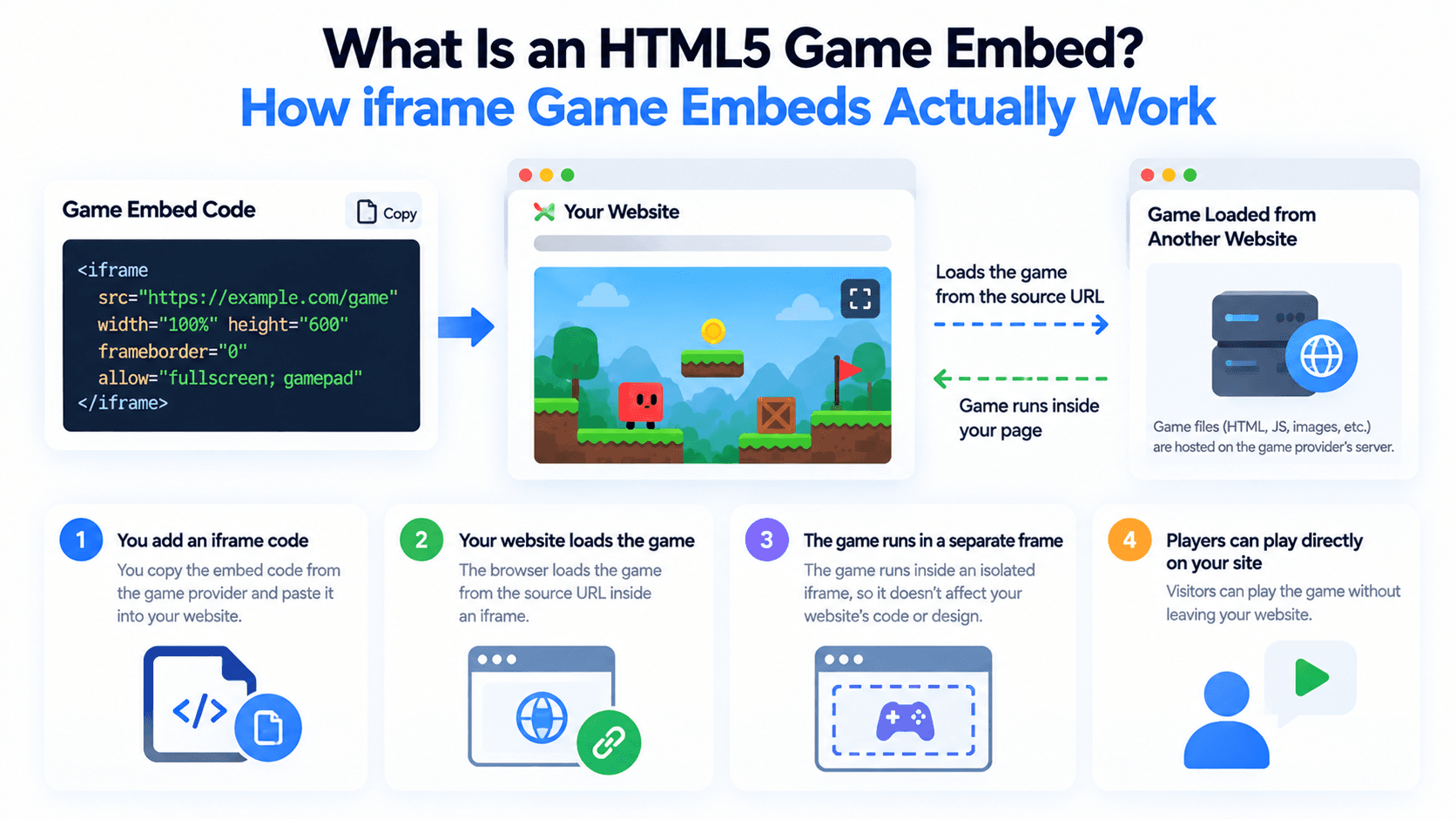
What Is an HTML5 Game Embed? How iframe Game Embeds Actually Work
Adding a free game to your site usually means embedding an iframe pointed at someone else's server. Here's what's actually happening under the hood, and what the src, allow, and sandbox attributes control.